
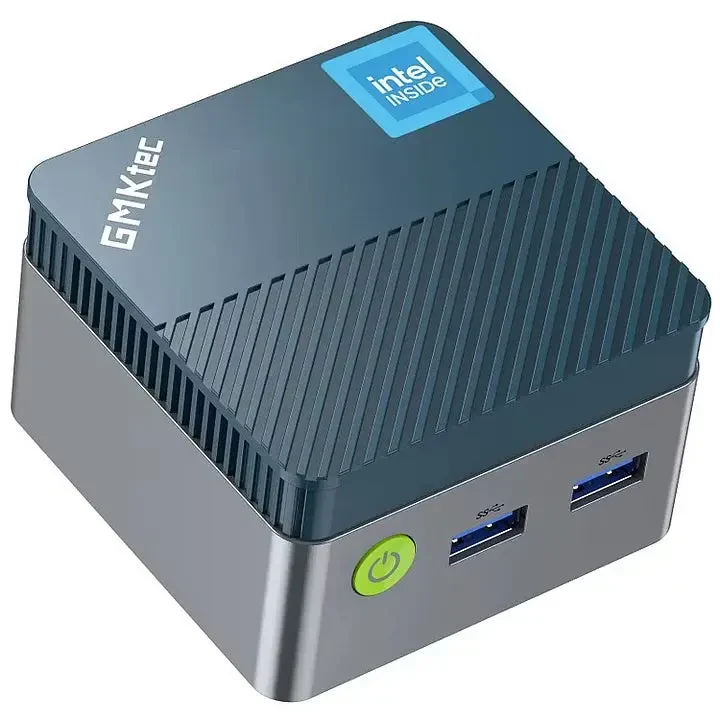
GMKtec G5 (N97)
Introduction and orientation
Review this model’s tested compatibility, specifications, limitations and available technical documentation.
Overview and explanation
Compatibility verified by the software provider through real-world testing. Results apply to the tested hardware and software configuration.
Verified compatibility
- Applications: Yes
- FHD video: Yes
- UHD video: Yes
Description and specifications from the manufacturer
A mini PC with an Intel N97 processor and onboard LPDDR5 memory.
| Parameter | Value |
|---|---|
| Device type | Mini PC |
| Processor | Intel N97 |
| Architecture | x86-64 |
| Cores / threads | 4 / 4 |
| Maximum CPU frequency | 3.6 GHz |
| Graphics | Intel UHD Graphics |
| RAM type | LPDDR5-4800 |
| Memory slots | Soldered memory |
| Maximum RAM capacity | 12 GB |
| Installed RAM / variants | 12 GB; onboard |
| Storage interfaces | M.2 2242 SATA III |
| Installed storage / variants | 128 / 256 / 512 GB (depending on variant) |
| Display outputs | 2× HDMI |
| Manufacturer display-output resolution | 4K / 60 Hz |
| Ethernet | 1× RJ45; 1 Gb/s |
| Wi-Fi | Wi-Fi 5 |
| Bluetooth | 5.0 |
| USB | USB-A 3.2 Gen 1; the available manual does not state the count consistently |
| Audio | 3.5 mm CTIA |
| Other interfaces | microSD / TF |
| Power supply | USB-C DC 12 V / 3 A |
| Cooling | Not stated in the available documentation |
| Dimensions | Not stated in the available documentation |
Installed RAM and storage depend on the purchased configuration. Maximum capacity does not describe the memory supplied.
Check specifications and further technical details in the documentation: Manufacturer data source ↗
Check specifications and further technical details in the documentation: Manufacturer manual ↗
Manufacturer specifications describe the hardware. Software compatibility is determined by the test results and limitations on this page.
System configuration and requirements
GMKtec NucBox G5 with Intel N97: 12 GB RAM and 256 GB SSD.
Known limitations
- UHD playback may have slightly reduced video quality.
- Maze and Alpha Video applications are excluded.
- Use the primary HDMI port above the LAN connector.
Manufacturer: https://www.gmktec.com/
Technical documentation
Related topics and next steps
Didn't find what you were looking for?
Contact your software provider.
Contact your software provider.