
Device playlist check
Introduction and orientation
Download and inspect the calculated campaign playback plan for a specific device.
Overview and explanation
Where to find it
Open the device detail and go to Published campaigns. If a playlist is available, use the download button in the lower-right corner. The system generates a ZIP archive containing PDF sheets for the active days in the generated weekly schedule.
What the export contains
Each PDF lists the planned playback sequence: preview, planned start time, duration, campaign name, visual type, campaign type, number of slots, visual priority, and screen dimensions and orientation. Depending on the device settings, the ZIP can contain up to seven PDFs, one for each day of the week.
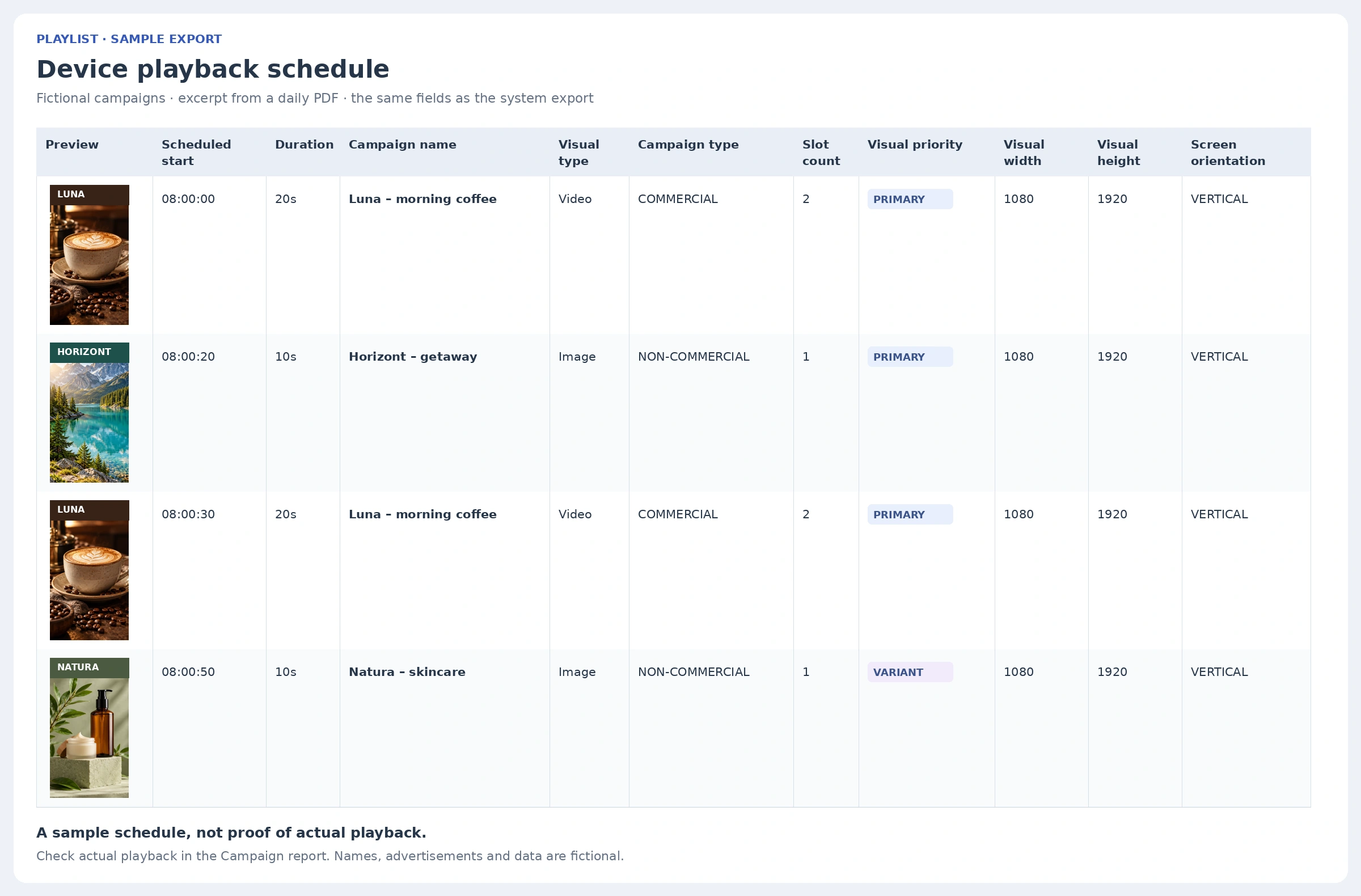
PRIMARY, VARIANT and FREE
- PRIMARY – the campaign’s primary visual.
- VARIANT – another campaign visual selected according to the configured conditions. See Dynamic visuals.
- FREE – the default fallback visual used at a position with no campaign in the generated playlist. See Default visual.
For content selection and ordering, see How the advertising loop works.
Where a campaign can select among variants dynamically, the exported plan is a planning view and should not be treated as a promise that every visual choice will be identical at runtime.
The PDF is a calculated plan. Its timestamps describe the planned sequence; actual playback may shift in time during operation. To assess what actually played, use the Campaign Report rather than the playlist export.
Checking interactive playback
A playlist export shows scheduled items, not proof of actually visible playback. Compare recorded plays with the Campaign Report. Ad visibility during a game requires a test on the specific device.
Related topics and next steps
Contact your software provider.